Building a React Desktop & Terminal
A computer within a computer
By Piers Walter
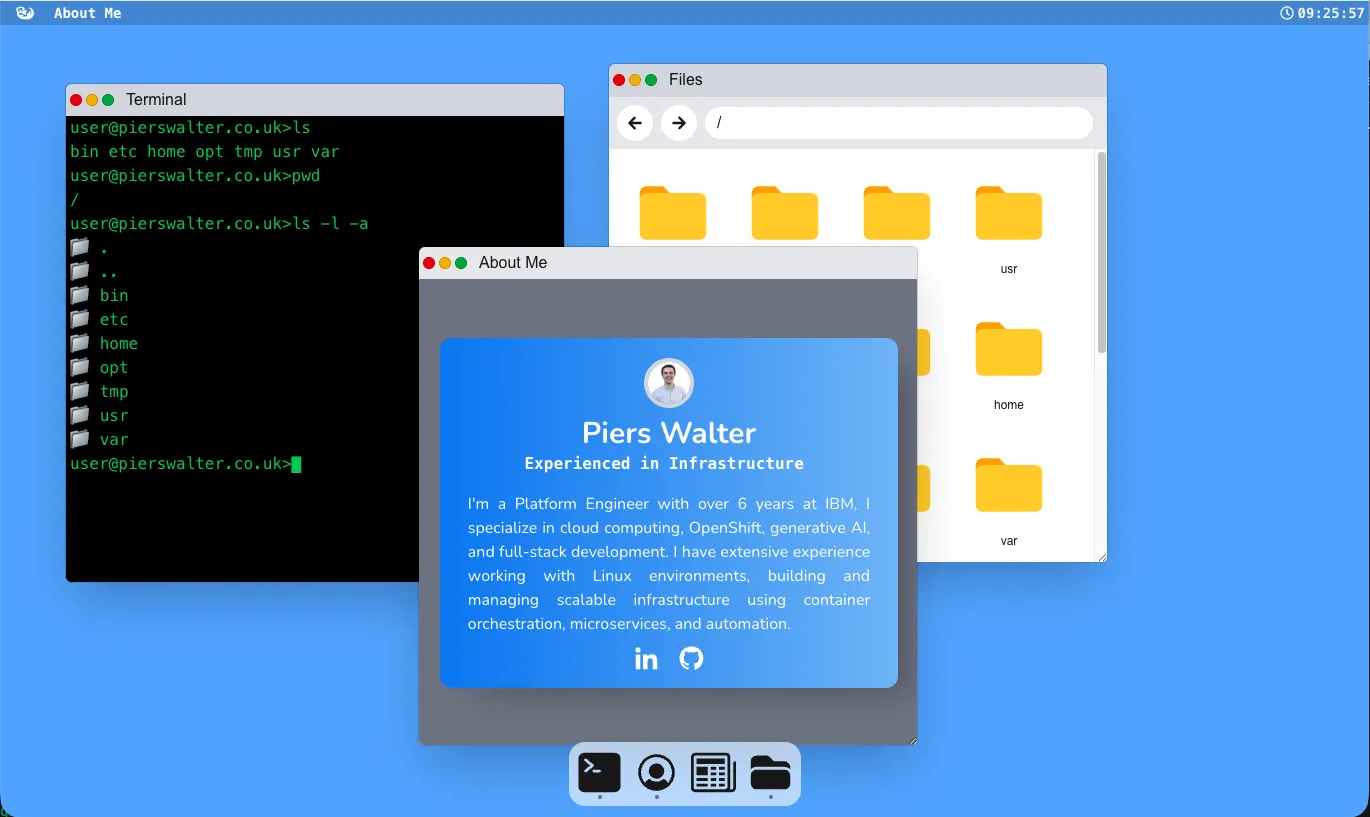
What is it?
Over the past little while, I’ve been working on a desktop-like experience built inside of a react.js webpage, and you can try it out at desktop.pierswalter.co.uk. It’s built to mimic a MacOS style interface, mainly because that’s what I had infront of me while building it as a reference point.
Why did I build it?
I built this to give myself a bit of a challenge. There’s quite a few different components of this to consider, firstly the presentation layer, rendering the window borders and launching apps, secondly the filesystem and how the files app can see files & folders made in terminal, and thirdly how to implement the terminal itself. This gives me a chance to practice a few different skills and switch around and tackle different problems
The Presentation Layer
Each application has a few basic parameters it needs to set, namely its name, icon, react component function, max/min sizes and whether it’s a widget or an application. At the moment there is only one widget, the about this page widget, but being a widget means it has no button to launch it at the bottom. Each react component is it’s own application and has access to the FakeFS through a react context. I decided to make it so that only one copy of an application can be open at a given time, to keep it simple, but an application can be minimised and brought back up, or closed entirely. The windows are draggable through a great library called react-draggable
The Filesystem
The filesystem in this desktop is something I’ve referred to as “FakeFS”. It is an entirely in-memory store using a fairly basic tree structure where there’s a root folder, which can itself contain children files & folders. This approach means there’s nothing to clear up if you delete a higher folder, everything below will be removed and garbage-collected automatically.
The filesystem is very basic, with only the key features that I’ve needed so far, but this could be expanded in future. At the moment it supports creating, deleting and listing files and folders, as well as reading and writing files. It also supports watching for changes to the filesystem through listeners, which is useful for the files app to know when files have been created or deleted, as otherwise it would have to poll the filesystem at regular intervals. It works entirely off of absolute file paths as I decided to make it the responsibility of the application to keep track of its current directory. An earlier version of the design when it was terminal-only had the filesystem keep track of the current working directory, but this fell apart once I needed the filebrowser application to read the same filesystem.
The Terminal
The terminal is backed by something I called the Terminal Executor. This is responsible for keeping track of the history, inputs & outputs from each command, passing the filesystem to commands, initialising the environment variables and handling the current working directory. Each command when it’s called is passed all of this information and its arguments through the following code:
commands[command].main({ args, fs: this.#fs, environment: this.#environment, cwdHandler: this.cwdHandler });Terminal Programs
Each program that I’ve made so far is completely standalone, nothing is what is analogous to a shell built-in. This means it received its args, a reference to the filesystem, environment and current directory at the start, and I expect only a string response back. In future this could be extended to pass a return code but at the moment it’s like this to keep it simple. At the moment the list of commands is basic but again can be expanded easily: echo, pwd, help, man, open, ls, cd, mkdir, touch, cat, append, rm, env, export, unset & rmdir
Future Aims
Going forwards I’d like to continue to add applications & functionality, such as a text editor which opens from the file browser, perhaps some more abilities. Overall it’s a playground for me to develop something which will get more complex over time and where I can try out new things with react.